Christmas Sale
 [ux_image id="9076"]
[gap]
[ux_image id="9076"]
[gap]
🛍️Gifts of Growth🛍️
🎉 Exciting News! Enjoy a 40% Discount on All Orders! 🎉
Dear iBusinessCourse Community,
'Tis the season of giving, and we're delighted to spread some holiday cheer! Starting from December 21, 2023, until January 3, 2024, iBusinessCourse is thrilled to offer an exclusive 40% discount on all orders made on our website.
📆 Event Dates: December 21, 2023, to January 3, 2024
Here are the key details:
- The special coupon code for the 40% discount will be publicly available on our website and across various social media platforms before December 21.
- For our wonderful customers who have subscribed via email, anticipate a festive surprise! An email containing the exclusive coupon code will be sent to your inbox before December 21.
Take advantage of this festive season to boost your business knowledge with our premium courses. It's our way of expressing gratitude for your continued support and dedication to learning.
Wishing you a joyful holiday season and happy learning!
[gap]
⇓⇓40% Coupon⇓⇓
IBUXMAS23
[gap height="60px"] [divider align="center" width="100px"]How to Use the Coupon?
Option 1: Add at Cart
Scenario 1a: Visit the link https://www.ibusinesscourse.net/cart/, then copy the coupon code and add it to the specified field as shown in the image.
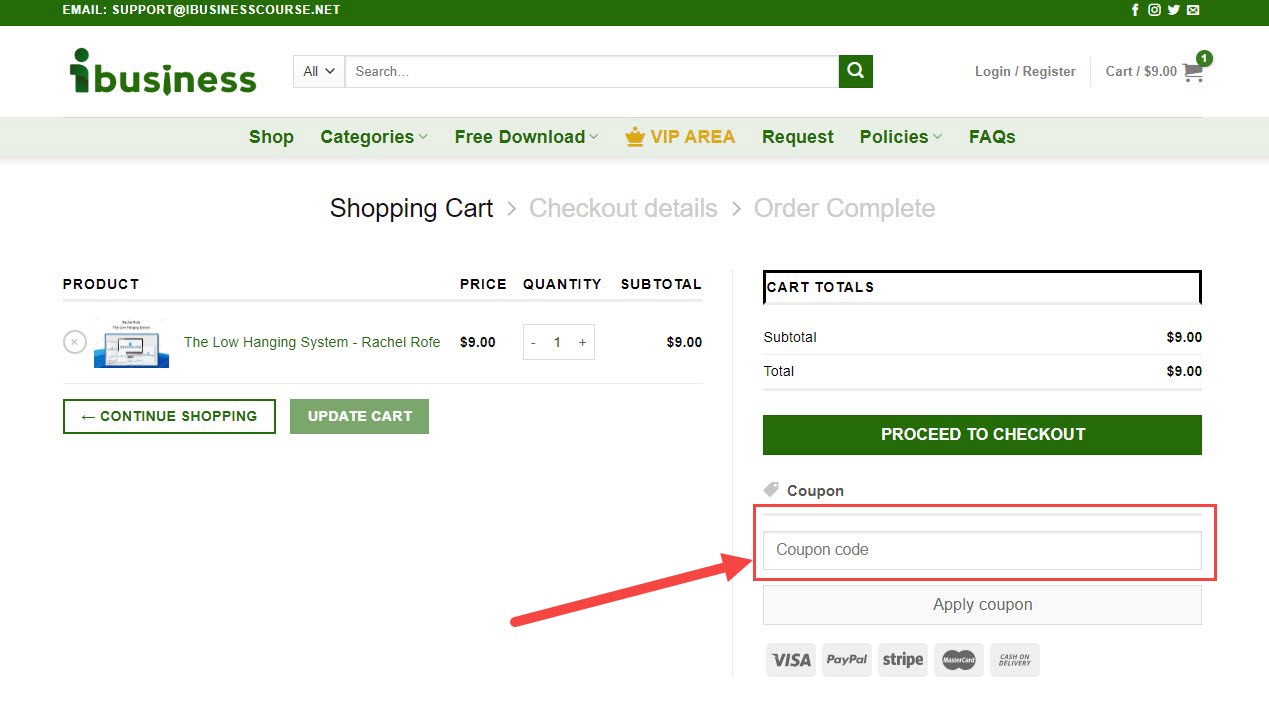
then press 'Apply Coupon' to receive our discount
Scenario 2a: If you don't have any courses in the Cart, go to the course you want to purchase, then click the button below to add it to the Cart.
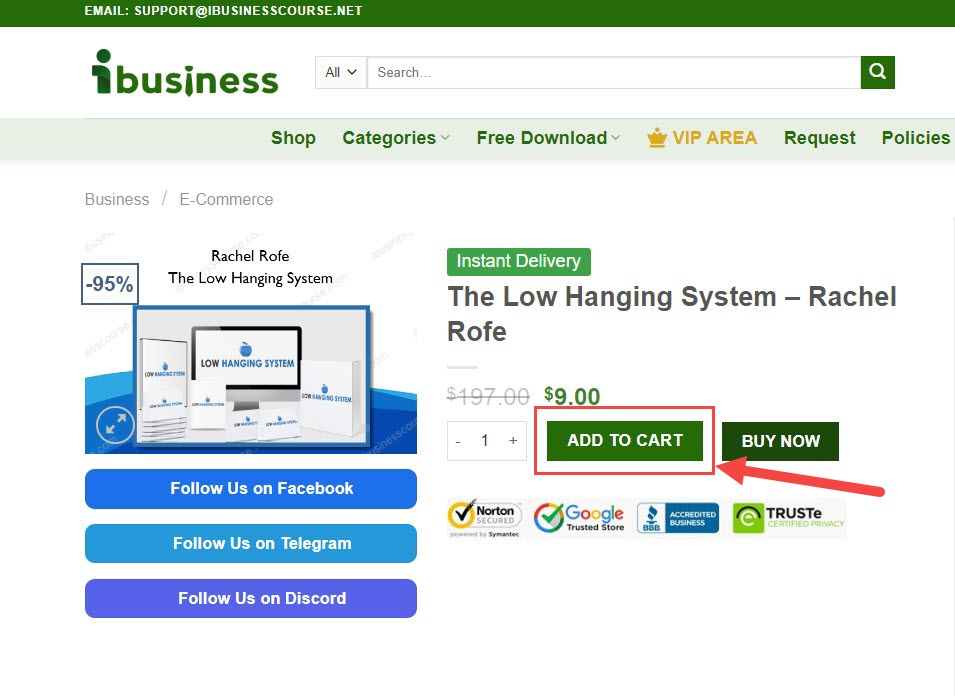
Click the icon below to go to the cart or access the link: https://www.ibusinesscourse.net/cart/

Afterward, follow the same steps as in Scenario 1a.
Option 2: Add at Checkout
Scenario 1b: Go to the link: https://www.ibusinesscourse.net/checkout/. Under 'Have a coupon? Click here to enter your code', click on 'Click here to enter your code'.
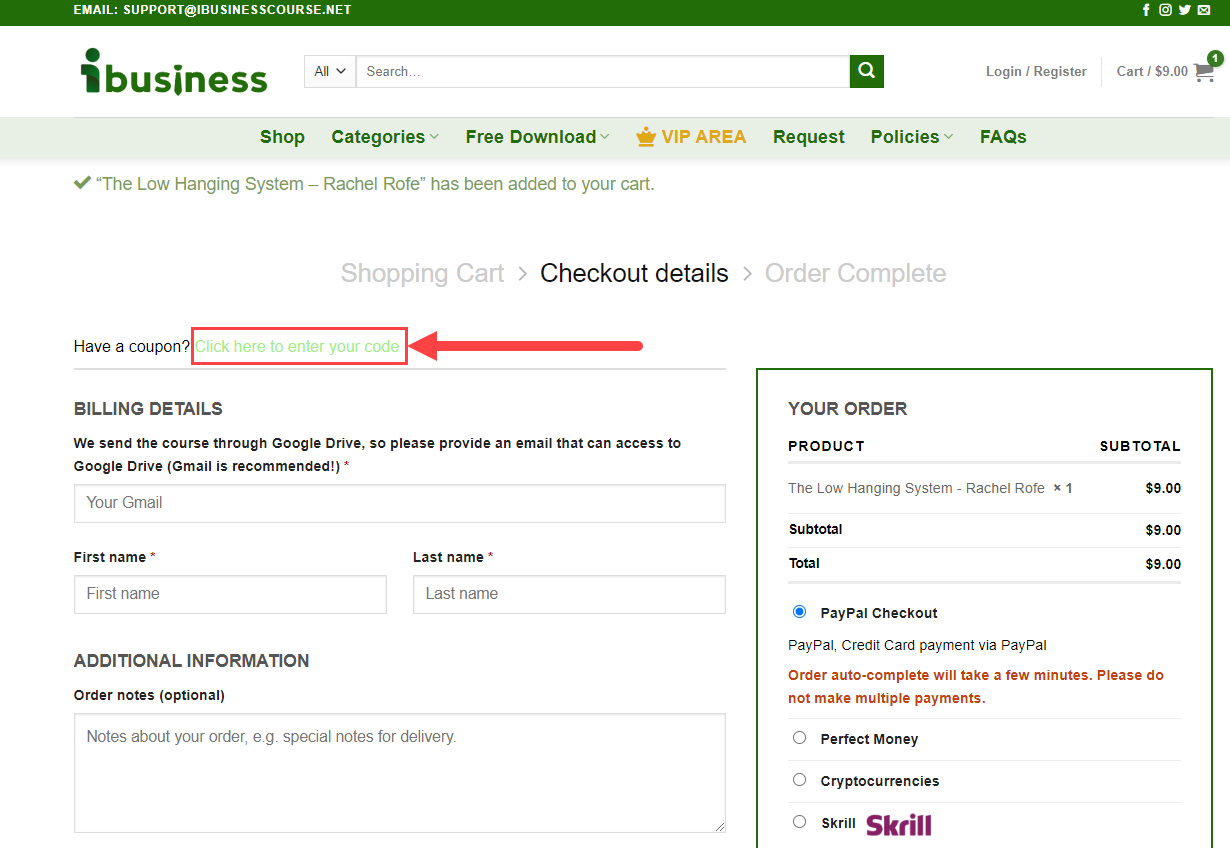
The coupon code input box will appear, where you just need to copy the coupon code and paste it here, then press 'Apply Coupon' to receive our discount.

Scenario 2b: If you don't have any courses at checkout, visit the course you're interested in, then click on 'Buy Now'.
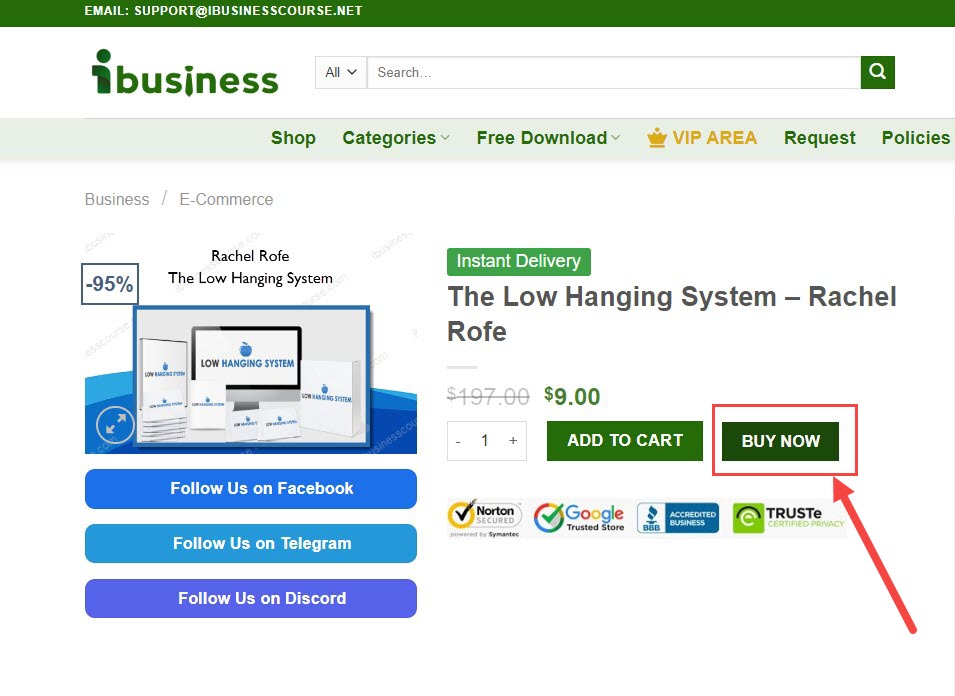
Next, follow the steps as in Scenario 1b.
[gap]


Comments
Post a Comment